I stumbled into design sideways. I was working at DevMountain as a career prep counselor when I discovered UX, this perfect intersection of analytical thinking and creative craft that I didn't know existed. Seven years later, that same pull toward the overlap of logic and art drives everything I do.
My job as a designer is to take complex problems and make them feel simple for the user. That's the constant. What's changed is how I work. I've gone deep on AI tools. I prototype in Claude Code, build functional apps, and ship work that would have taken a full engineering sprint in a fraction of the time.
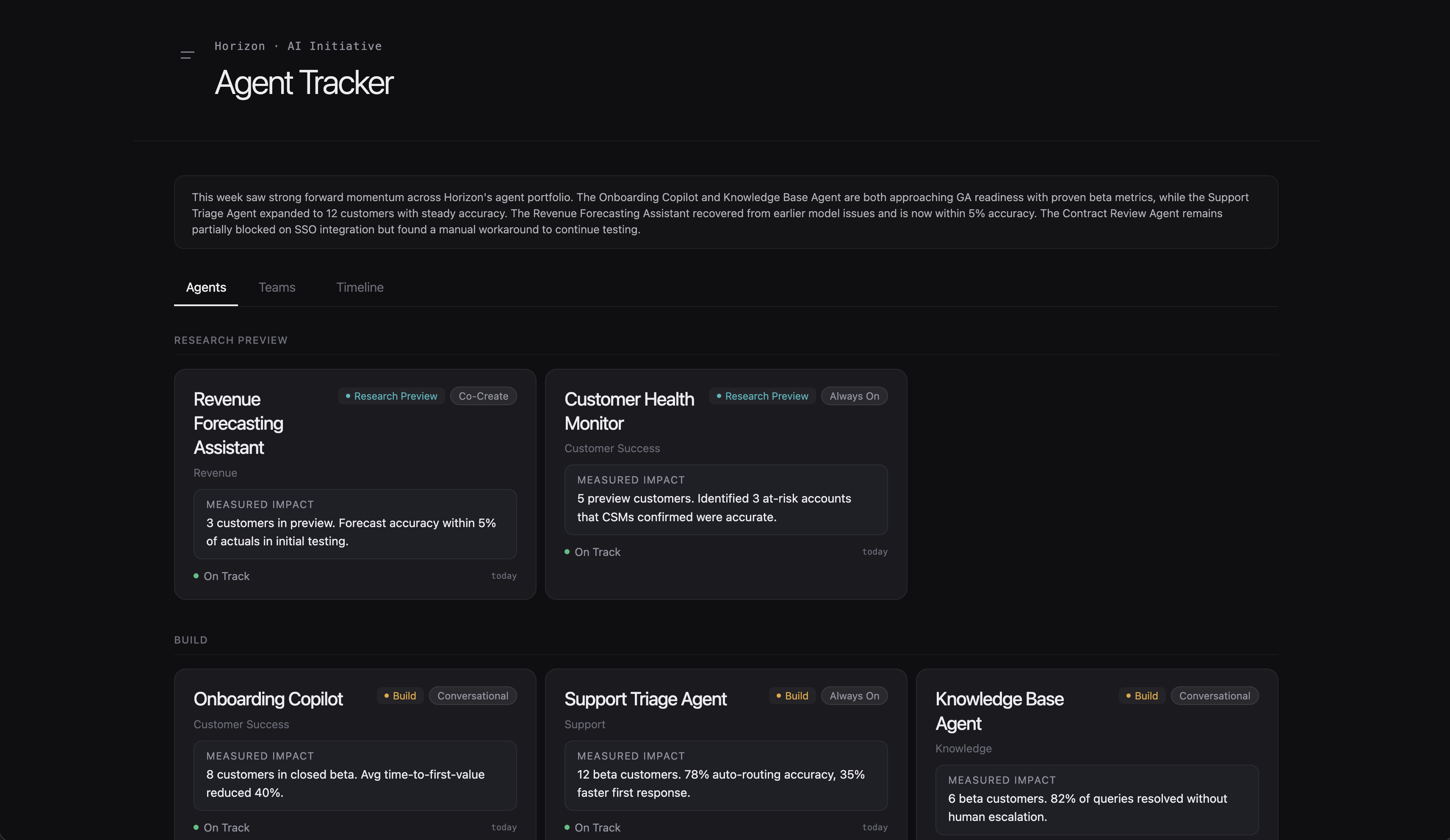
Most recently, I built and deployed a fully-functioning executive dashboard at BambooHR that uses an LLM to capture PM status updates, synthesize them to an executive level, and populate an agent tracking view, complete with authentication. Leadership is actively using it. I'm not a developer, but I've learned that the line between design and building doesn't have to exist anymore.
7 years
Designing products
1
Marathon finished (more coming)
Experience
BambooHR
Lucid
DevMountain
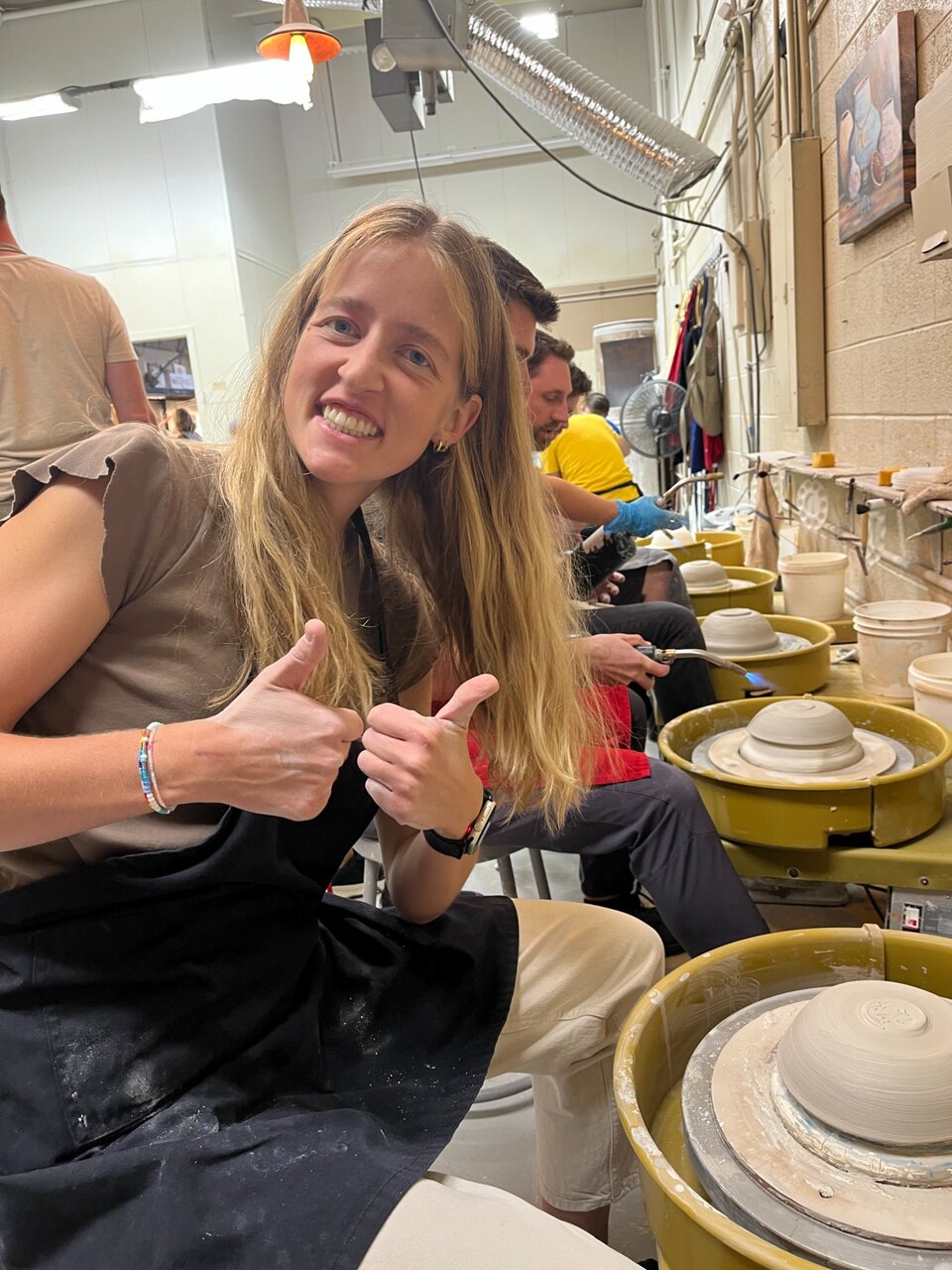
I'm a marathon runner, a Saturday hiker (it's a family rule), and a mom of two little adventurers. My husband and I spend most of our free time chasing our kids up trails or being chased by them down hallways. I work best when I'm building something, whether that's a product, a prototype, or a blanket fort.
Setting AI Design Strategy for an Entire Product Org
I built the systems, patterns, and design culture that let every team at BambooHR ship AI, using the redesign of our core assistant as the proving ground.
BambooHR had one AI experience: Ask BambooHR. It could surface help articles and employee data, but the UI was outdated, it was positioned as ticket deflection, and outside of it, AI was a blank canvas. Roadmaps were packed, there were no AI components in the design system, and any team that wanted to build an AI experience was starting from zero.
Three problems, one effort
Product: Ask needed to go from passive Q&A to taking action on behalf of users.
Systems: Every team would need AI experiences. Without shared patterns, we'd get a fragmented product.
People: Designers wanted to do this work but didn't have the clarity or infrastructure to start.
Before
After
02
The strategy, and where I landed
Three problems, but one underlying question: was I redesigning a chatbot, or setting the interaction language for how AI would show up across an entire product? I decided it had to be the second one, or every team that came after would rebuild the same patterns badly, three or four different ways.
That meant the actual deliverable wasn't a better Ask. It was a point of view that other designers could build on: what does AI look like when it's not a bolted-on feature, but part of how the product already works?
The long-term vision
Drop the "Ask" name entirely. The product itself becomes your coworker. The interaction patterns I was setting now, the workspace that expands and collapses, the way AI proposes actions instead of demanding forms, the boundaries between one AI surface and another, are what make that future possible later. Ask was the first place to prove those patterns out loud, not the end goal.
Where my thinking has already shifted
Early on, we gave AI a distinct gradient treatment so it would stand out. At the time, that made sense, AI was new and people needed to know when they were interacting with it. But as AI becomes normal, that instinct is wrong. The next iteration should make AI feel like it's already part of the experience, not something calling attention to itself. That reversal, deciding to make my own earlier design decision less visible, is the kind of judgment call that doesn't show up in a screenshot.
03
Three components that every team can use
Strategy is only real if it survives contact with fifteen other product teams building fifteen other things. So I ran a jobs-to-be-done analysis across every product area, used an LLM to surface repeating patterns across those teams' plans, then led a day-long design brainstorm in Figma to pressure-test what we found.
We landed on three components built to be genuinely reusable, not just documented and ignored:
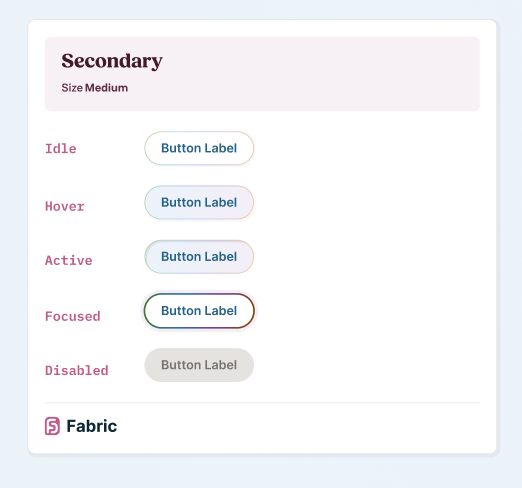
AI Button: a consistent entry point that launches Ask from anywhere in the product, so users learn one pattern instead of relearning AI access per team.
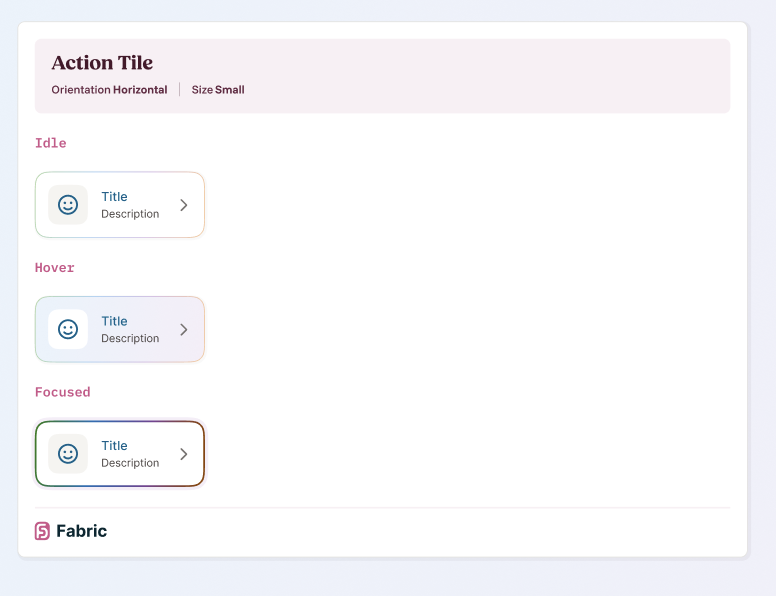
Action Tile: surfaces LLM-generated insights in context; clicking opens Ask with that insight as the starting point, so AI never dead-ends a user in a static callout.
AI Text Generator: generate or refine text inline, without breaking the user's flow to open a separate tool.
AI Button and Action Tile: two of the three scalable components shipped into the Fabric design system.
I partnered with our design systems designer on visual execution and wrote the usage guidelines and do's/don'ts myself, since adoption depends on teams knowing not just what the components look like, but when not to use them.
Why this mattered more than any single redesign
Fifteen teams didn't have to invent their own AI patterns from scratch, or worse, ship fifteen inconsistent ones. That consistency is invisible in a portfolio screenshot, but it's the actual measure of whether the strategy worked.
04
From talking about AI to actually shaping it
I took over the AI Braintrust, a cross-functional design group that had stalled out. Ten designers, one from nearly every product area, originally set up to align on AI mission and opportunity areas. It wasn't working. Sessions had become talking without deciding, and designers were leaving no clearer than when they walked in.
I restructured it around one rule: every session has to look at something real. Not a mission statement, a live component pattern someone is actually building. What's working, what's breaking, what needs to be standardized before three more teams build around it differently.
I also stopped being the only person running it. Other designers lead sessions now, which was the actual signal that the group had become useful rather than another meeting on the calendar: people wanted to bring their work to it.
This group is where new patterns get identified, existing ones get pressure-tested, and AI spreads across BambooHR with consistency, instead of each team quietly reinventing it behind closed Figma files.
05
Proving it: redesigning Ask
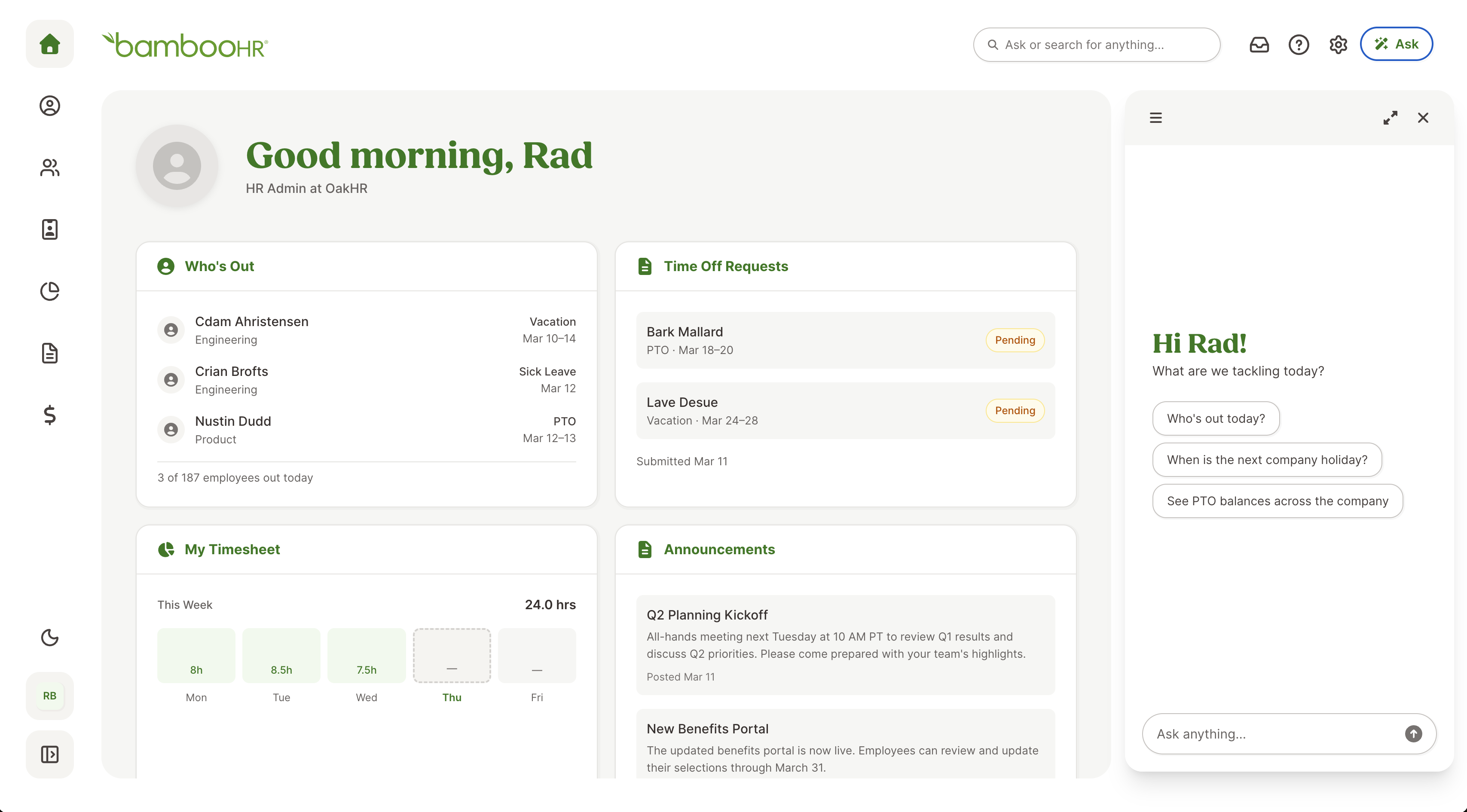
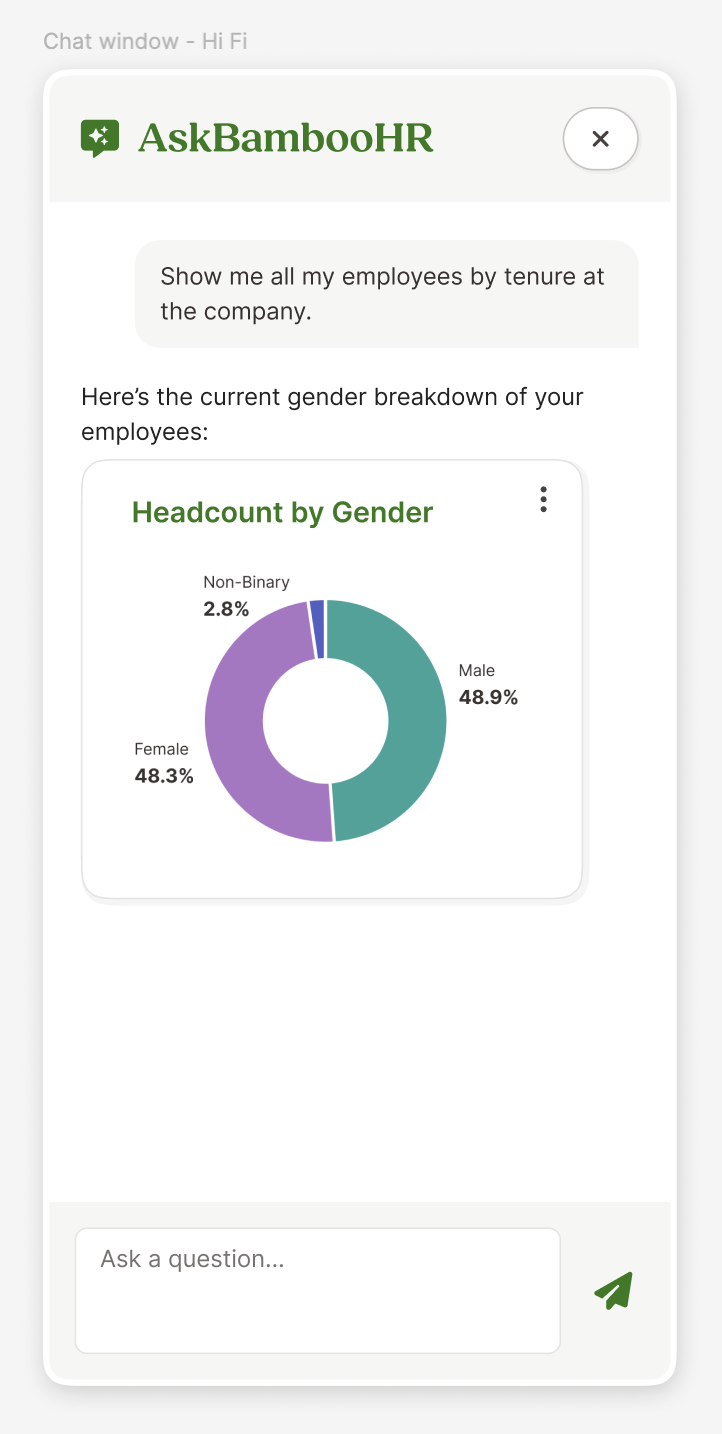
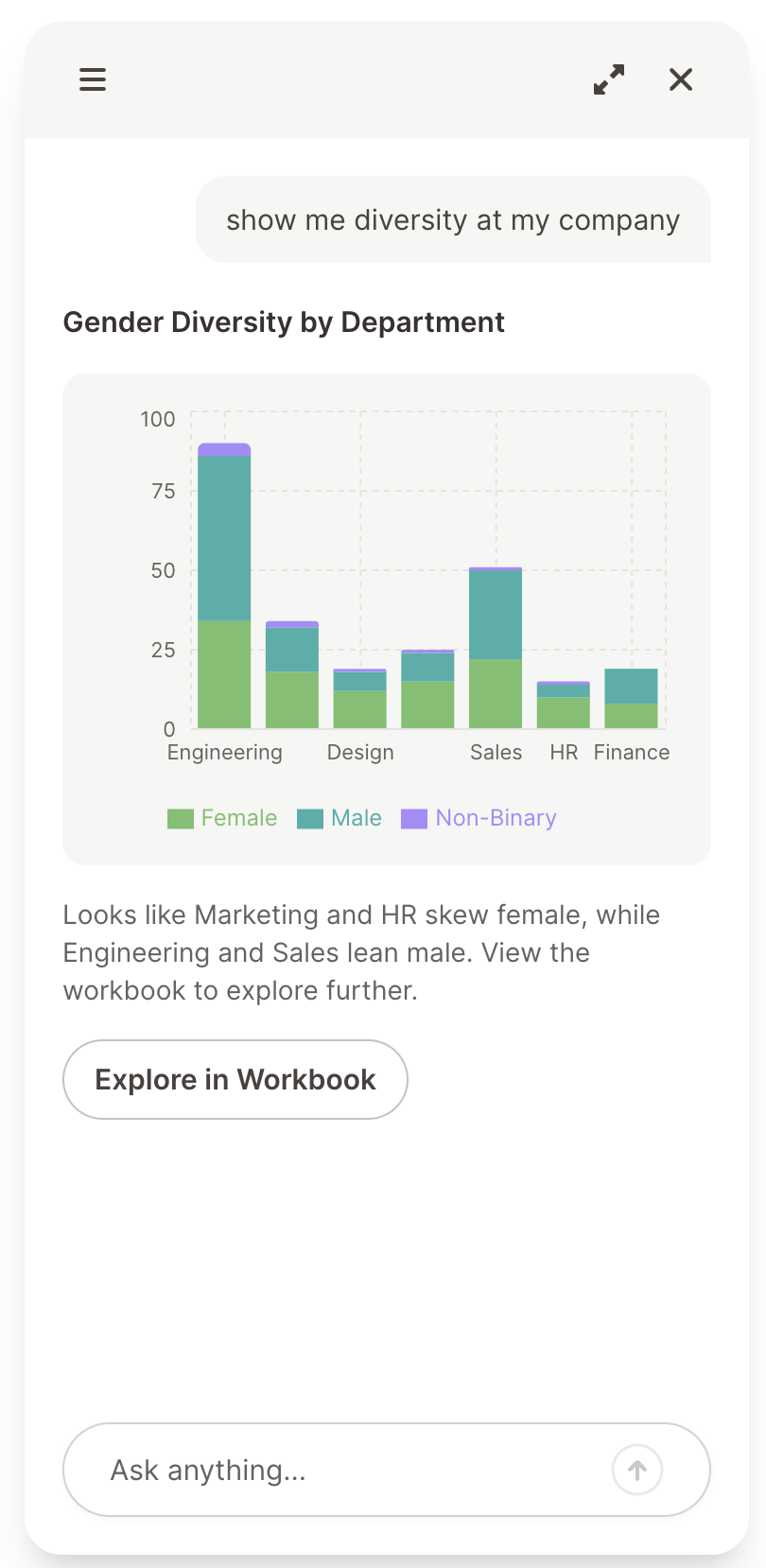
The clearest place to prove these patterns out was Ask itself. I redesigned it from a question-answering chatbot into a conversational interface for AI across the whole product: an expand/collapse workspace that grows for data-heavy tasks and tucks away for quick questions, sessions so different workflows don't pile into one thread, a Draft Receipt pattern where AI assembles structured actions into a card the user reviews and approves instead of stuffing a form into chat, and a co-create mode where Ask lives alongside the user in-canvas, validated with customers through the report builder agent.
The full redesigned experience: contextual prompts, structured data responses, co-create mode alongside Time Off, and the AI-powered report builder.
① Suggested prompts lower the barrier for non-AI-forward users.
② Expand icon enables full workspace for data-heavy tasks.
③ Session history so workflows don't pile into one thread.
Every pattern here is one of the three components or the interaction language from Section 03, applied. Ask isn't a separate project, it's the first full expression of the system.
06
The hardest problems in AI are design problems
I was intimidated by AI when I started this work. It felt like territory that belonged to engineers. But the hardest problems turned out to be ours: How do you build trust? How do you give users control without slowing them down? How do you make something powerful feel simple?
AI's real value in HR is freeing people to be people. When BambooHR handles the menial tasks, HR admins get to be more strategic and more people-oriented. That's not a technology story. It's a human one.
To grow, you have to be comfortable being bad at stuff again. This reminded me of pivoting from Sketch to Figma. Same unsure footing. But if you're not afraid to fail and you give yourself grace, you grow quickly.
I saw a gap in how BambooHR tracked its AI initiatives across the org. So I designed and shipped a full-stack internal tool, solo, using Claude Code as my engineering partner.
BambooHR was spinning up AI initiatives across the entire product org. Dozens of teams, each working on different AI-powered features at different stages. Leadership needed visibility into all of it: what's being built, how far along it is, where things are stuck.
There was no tool for any of this. Progress lived in scattered docs, Slack threads, and people's heads. Every time an executive wanted a status update, someone had to manually collect it. Every time a manager wanted to know how their teams were tracking, they were piecing it together from memory and meeting notes.
What I did
I saw the gap and decided to close it. Not with a proposal or a spec, but with a working product. I owned everything: research, UX, visual design, front-end, back-end, auth, deployment, and ongoing iteration.
02
How do you design 'visibility' when it means different things to different people?
The first design challenge was recognizing that executives and people managers need fundamentally different views of the same data. An exec wants the big picture: what exists, what stage is it in, where should I pay attention? A manager wants the team picture: what is my team working on, and should I be worried about anything?
Same underlying data. Completely different lenses. The tool needed to serve both without becoming two separate products.
03
One dataset, three views
The executive view
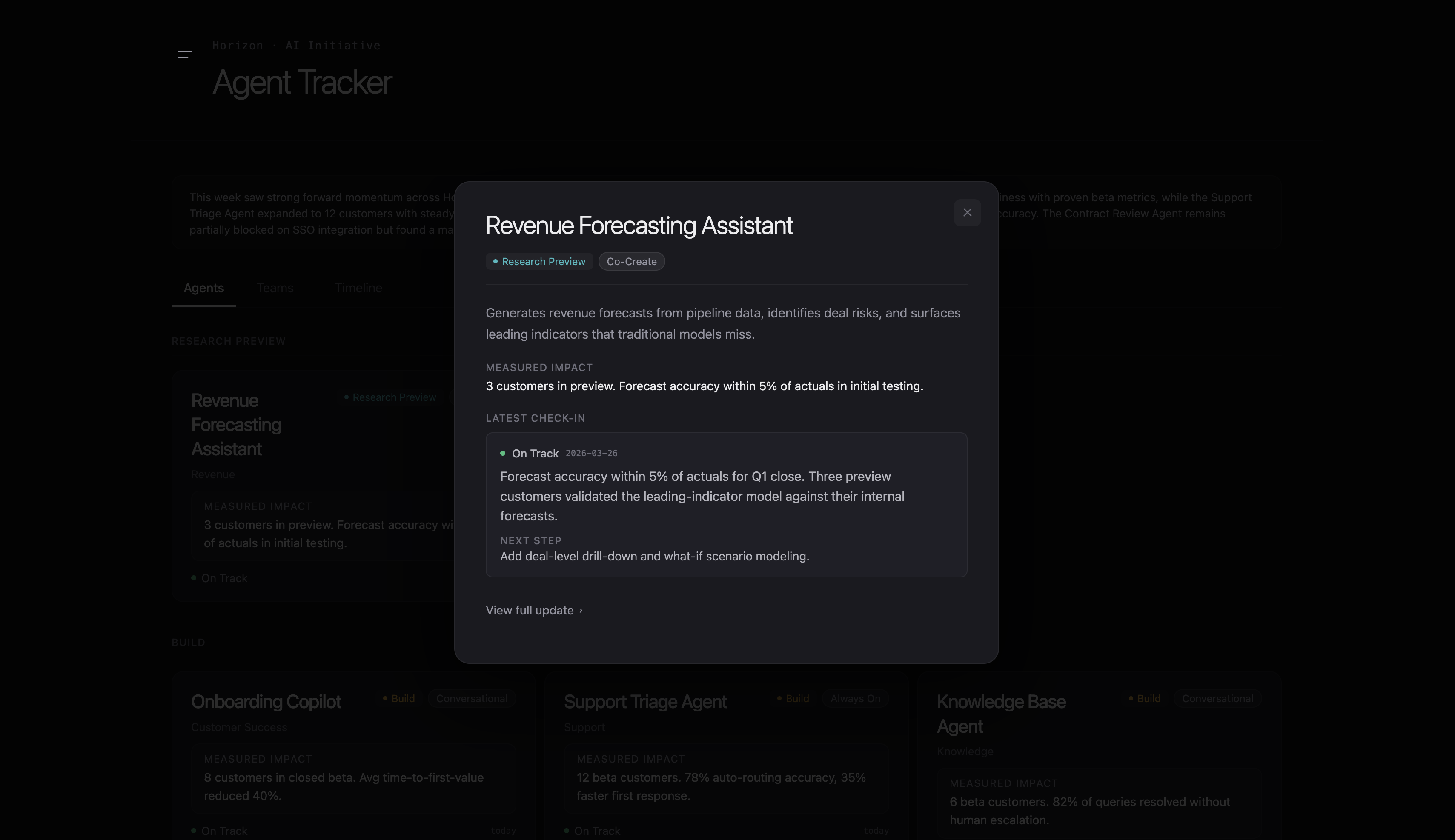
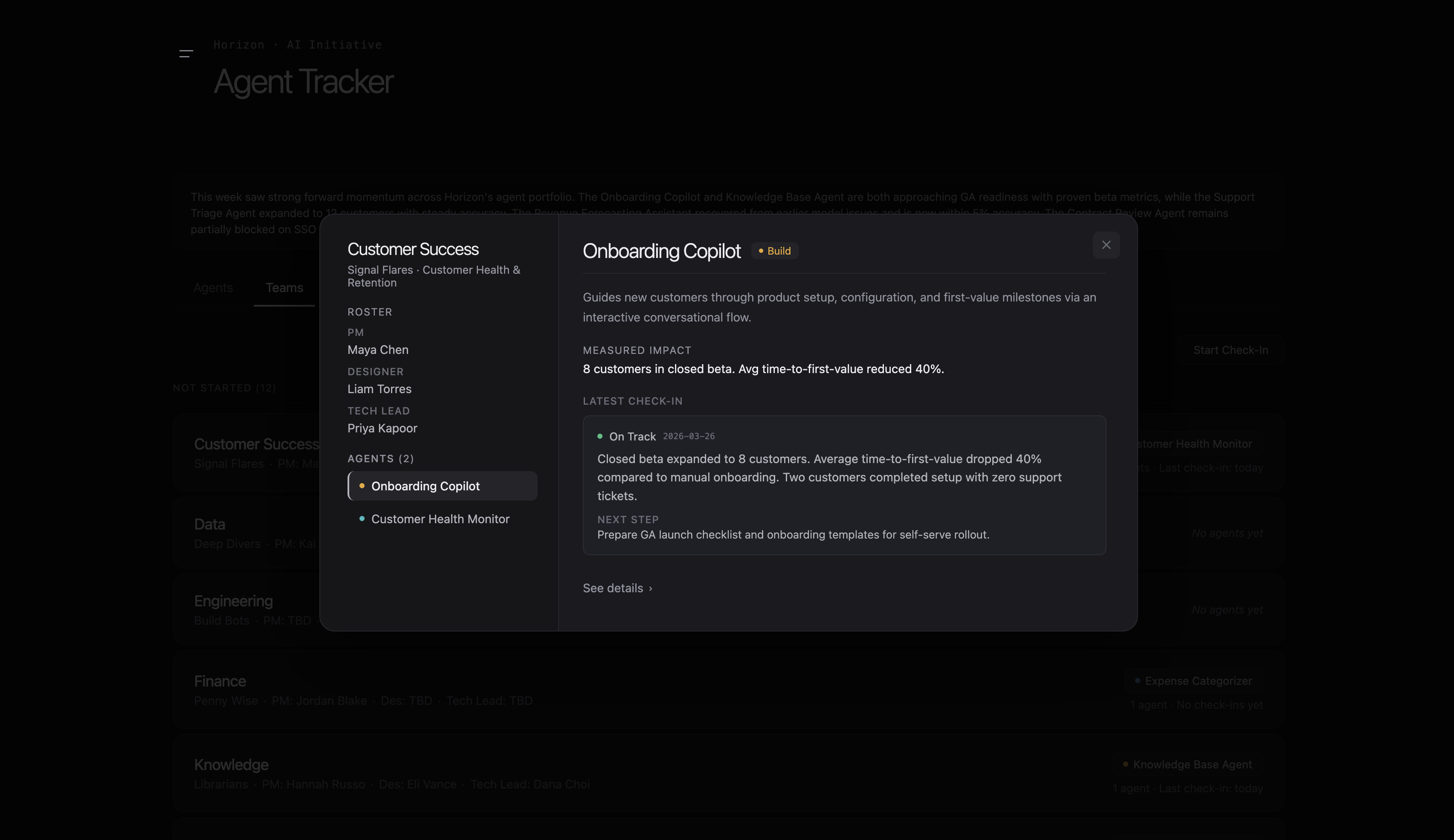
Every AI initiative as a card with its current stage, status, and key details. The visual language borrows from tools like Linear: dense but scannable, dark UI, information-forward. Each card expands into a detail modal with richer context, timeline, and check-in history.
&circled1; Stage badges show progress at a glance.
&circled2; Cards expand into detail modals with check-in history.
Design decision
The stage model went through several iterations. Early versions used generic labels that didn't mean anything specific. I landed on four stages that map to how AI product work actually progresses at BambooHR, each with a clear definition of what "done" looks like before moving to the next.
The team view
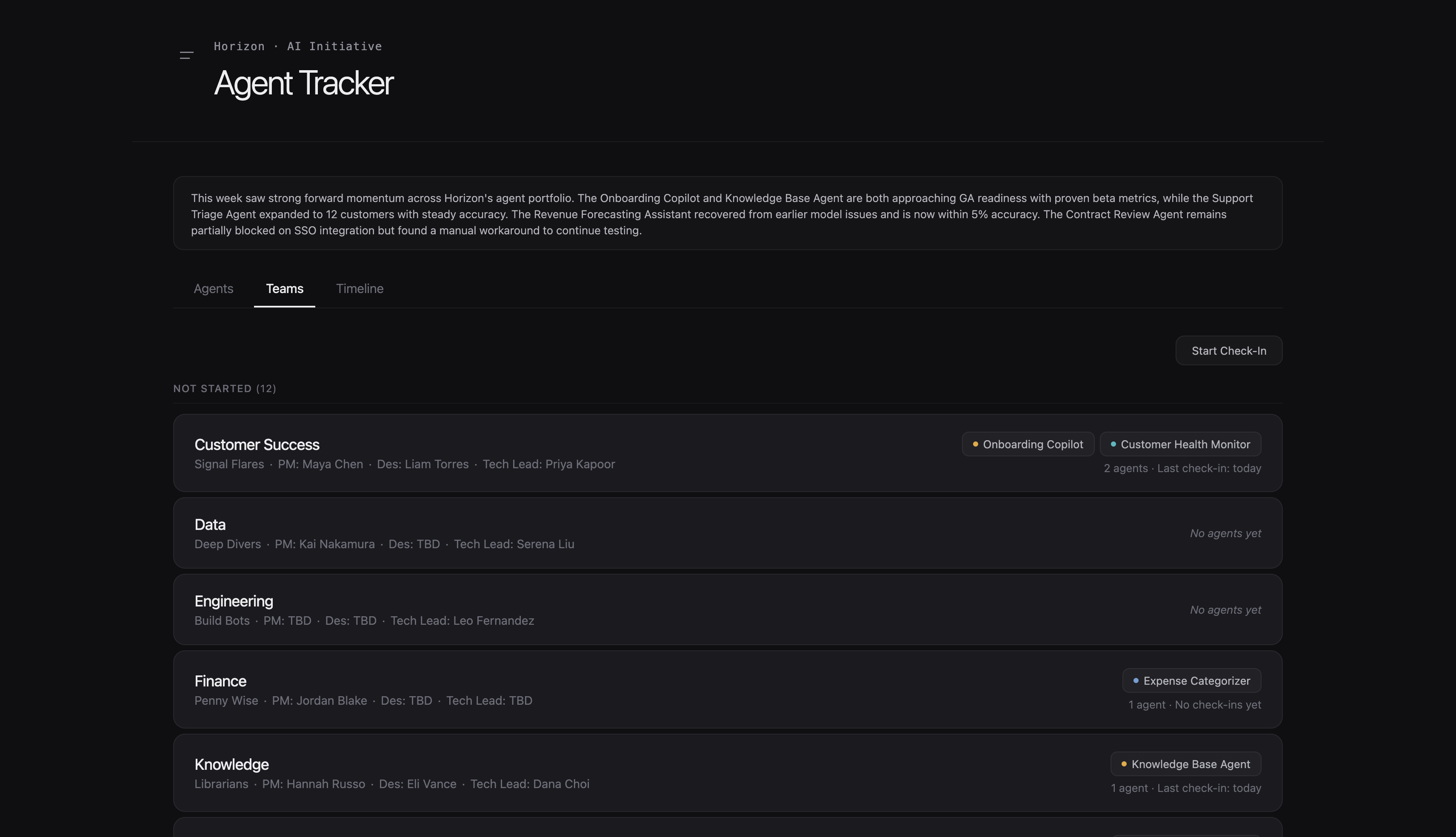
Organized by product trio (PM/design/eng), showing what each team is working on and how it's going. The card design went through several rounds. Early versions tried to pack too much in. I kept stripping it back until each card answered exactly two questions: what is this team working on, and should I be worried about anything?
&circled1; Team roster with trio assignments.
&circled2; Agent detail with measured impact and latest check-in.
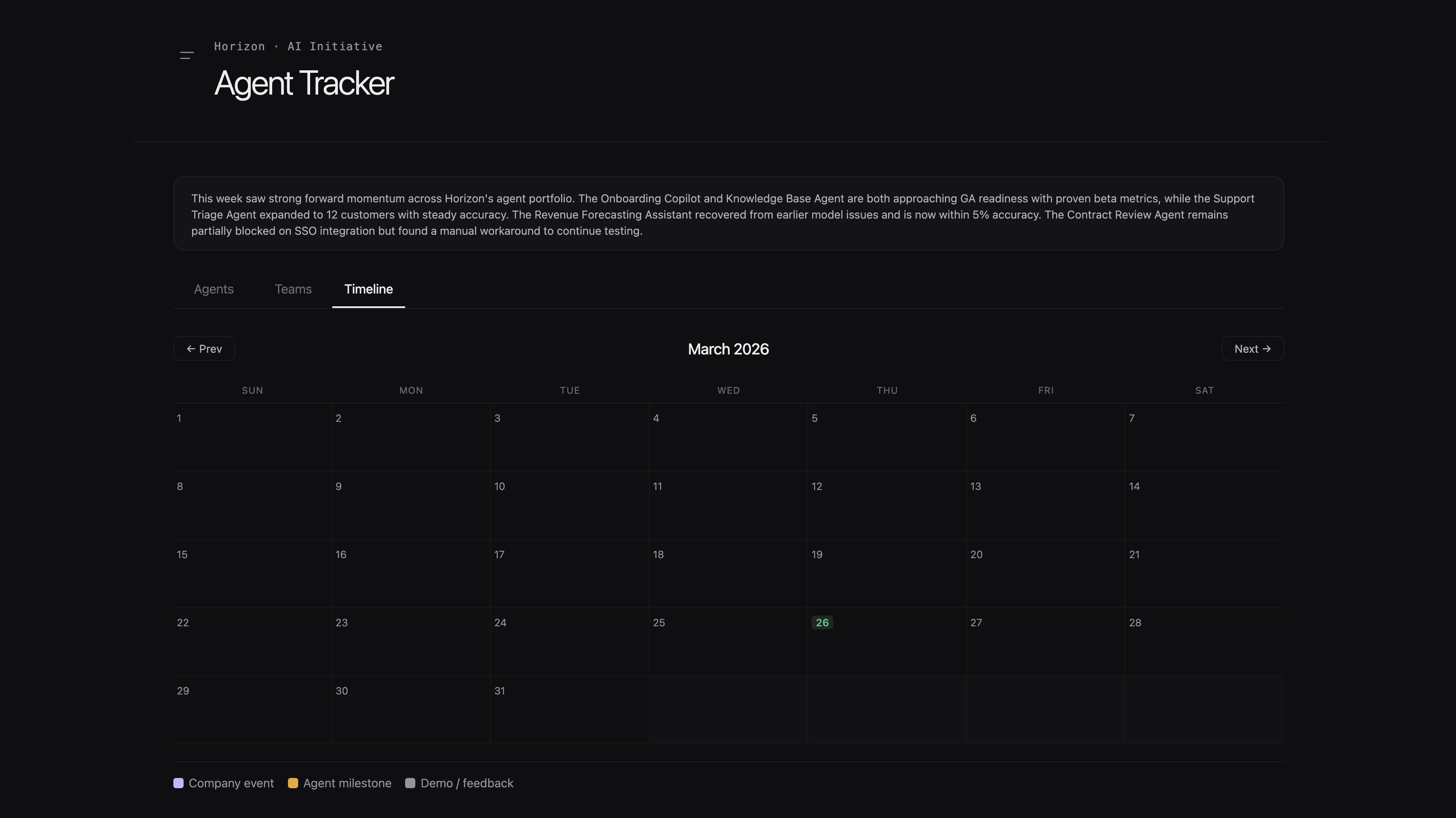
The timeline (added based on feedback)
Leadership kept asking "but is it getting better?" in meetings, and the agents and teams views didn't answer that. The timeline shows how initiatives have progressed over time, giving a sense of momentum at a glance. This wasn't in the original design. It was a direct response to a repeated question.
Not just "where are things now" but "are we making progress?" Added post-launch based on exec feedback.
04
The best status tools don't ask for status
The data in the tracker is only useful if it stays current. But nobody wants another form to fill out every week. This was probably the most interesting design problem in the whole project.
I designed a conversational check-in flow powered by an LLM. Instead of a structured form asking "what's your status" and "what's your confidence level," the check-in reads more like a quick conversation. The PM talks about what's happening, and the system infers the status and confidence from what they share. No dropdowns, no forced categorization. Just talk about your work and the system understands.
Key insight
I'd watched enough teams go through status reporting cycles to know that the moment you ask someone to pick "green / yellow / red," they pick green. Always. The conversational approach gets more honest signal because people aren't performing a status. They're just describing reality.
The conversational check-in flow: PMs describe what's happening and the system infers status and confidence automatically.
&circled1; Measured impact surfaces automatically from check-in data.
&circled2; Latest check-in with inferred status and next step.
PMs who own multiple initiatives get one continuous conversation rather than repeating the same flow for each one. Small detail, big difference in how it feels.
05
I didn't hand off a Figma file. I built the whole thing.
The front end is React, deployed on Vercel. I built a dark, Linear-inspired design system from scratch (not BambooHR's Fabric system, since this internal tool has different needs). Responsive across desktop, tablet, and mobile because leadership checks this on their phones between meetings.
The back end is Supabase: five relational tables handling initiatives, teams, check-ins, and the relationships between them. Data flows from LLM-powered check-ins into the database and surfaces in the UI in real time.
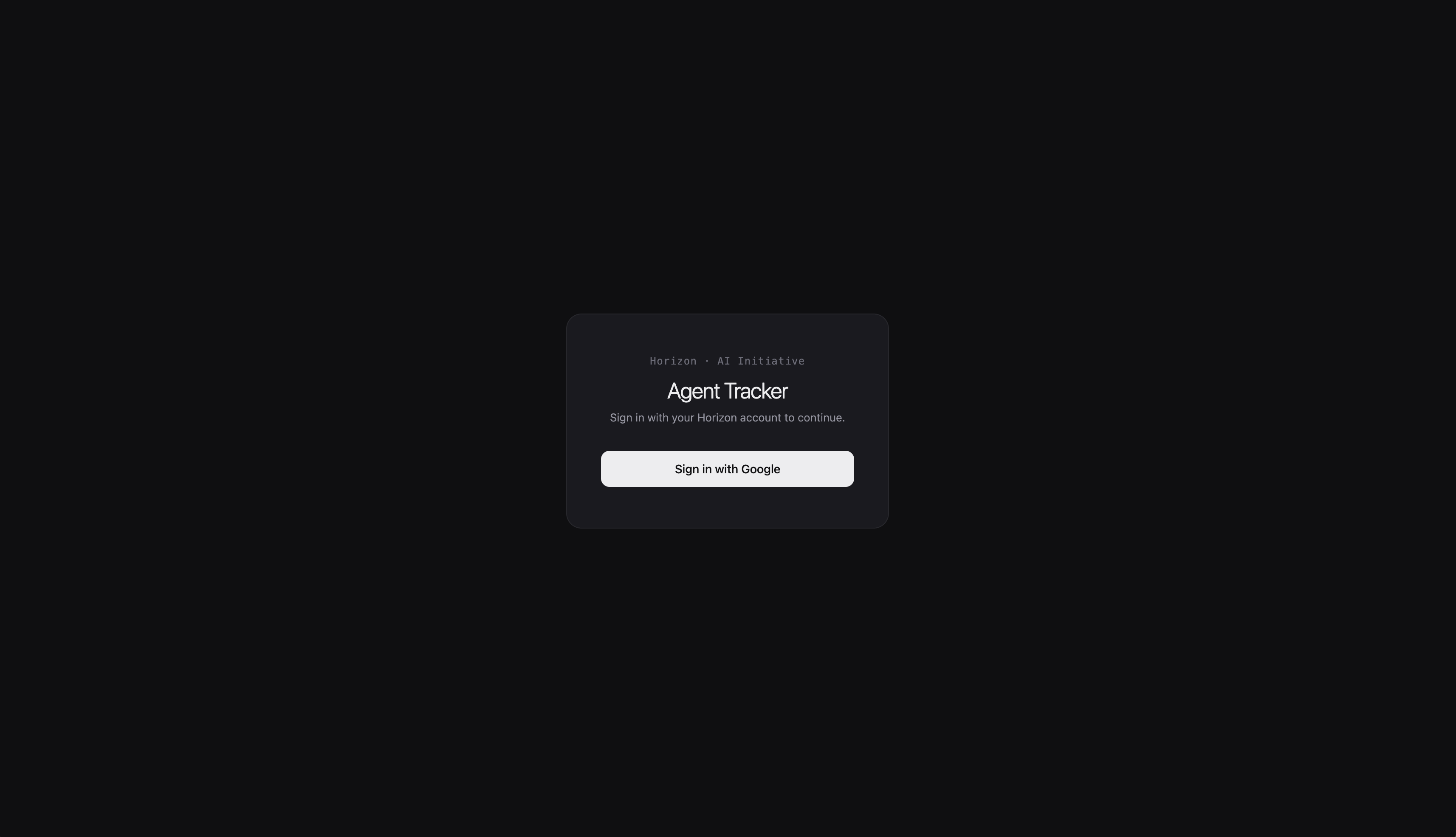
Authentication was non-negotiable. This tool contains sensitive information about what the company is building. I implemented Firebase Auth restricted to company email addresses.
How I used Claude Code
Claude Code was my engineering partner. I've been building prototyping fluency with it for months, and this project is where it really paid off. My approach: think through the design decision first, write a surgical prompt, preview the result, iterate. Broad prompts cause regressions. Specific prompts ship features. That discipline is what let me build and maintain a production app solo.
Firebase Auth restricted to company email addresses. This tool contains sensitive data about what the company is building.
06
One label change reframed how people thought about their work
One of the tracking fields was originally called "Milestone." In testing, PMs kept filling it with output-focused items: "ship v1," "finish API integration." I renamed it to "Next Learning Goal," and the responses shifted immediately. PMs started writing things like "validate whether users understand the draft pattern" and "test if the conversational check-in gets more honest signal."
Before — "Milestone"
PMs wrote output-focused items like "ship v1"
After — "Next Learning Goal"
PMs wrote learning-focused items like "validate whether users understand the draft pattern"
Ghost testing caught real problems before launch. I routed test accounts through the system to find edge cases with team assignments and how check-in data displayed for teams with multiple initiatives. Much cheaper to find those in testing than in an executive review.
The teams view after iteration: each card stripped back to answer exactly two questions.
07
The gap between idea and reality doesn't have to exist
Designers who can build have a superpower. Not because design skills matter less, but because the gap between idea and reality disappears. I didn't have to convince anyone this tool was worth building. I didn't have to wait for a sprint. I saw a problem, designed a solution, and shipped it.
The best status tools don't ask for status. Every reporting tool I've used asks you to perform your status: pick a color, fill in a template, hit submit. The conversational approach gets better information because it removes the performance. People describe what's actually happening instead of what they think you want to hear.
Internal tools deserve real design. It's easy to treat internal tools as throwaway. But these tools shape how people understand their work. The card design, the stage labels, the information hierarchy: all of that influences how leadership thinks about AI development at the company. Internal tools are products too.